> ## Documentation Index
> Fetch the complete documentation index at: https://docs.quickblox.com/llms.txt
> Use this file to discover all available pages before exploring further.
# Human handover
> Learn how to manage Human handover
If the AI Agent doesn't know the answer, it can forward the conversation to a human agent.
## Enable Human handover
To turn on human handover:
1. Go to ***Dashboard => YOUR\_APP => AI Agent***.
2. Find the AI Agent you want to update and click on its ID.
3. Scroll down to the **Unanswered questions** section.
4. Check the **Human handover** option.
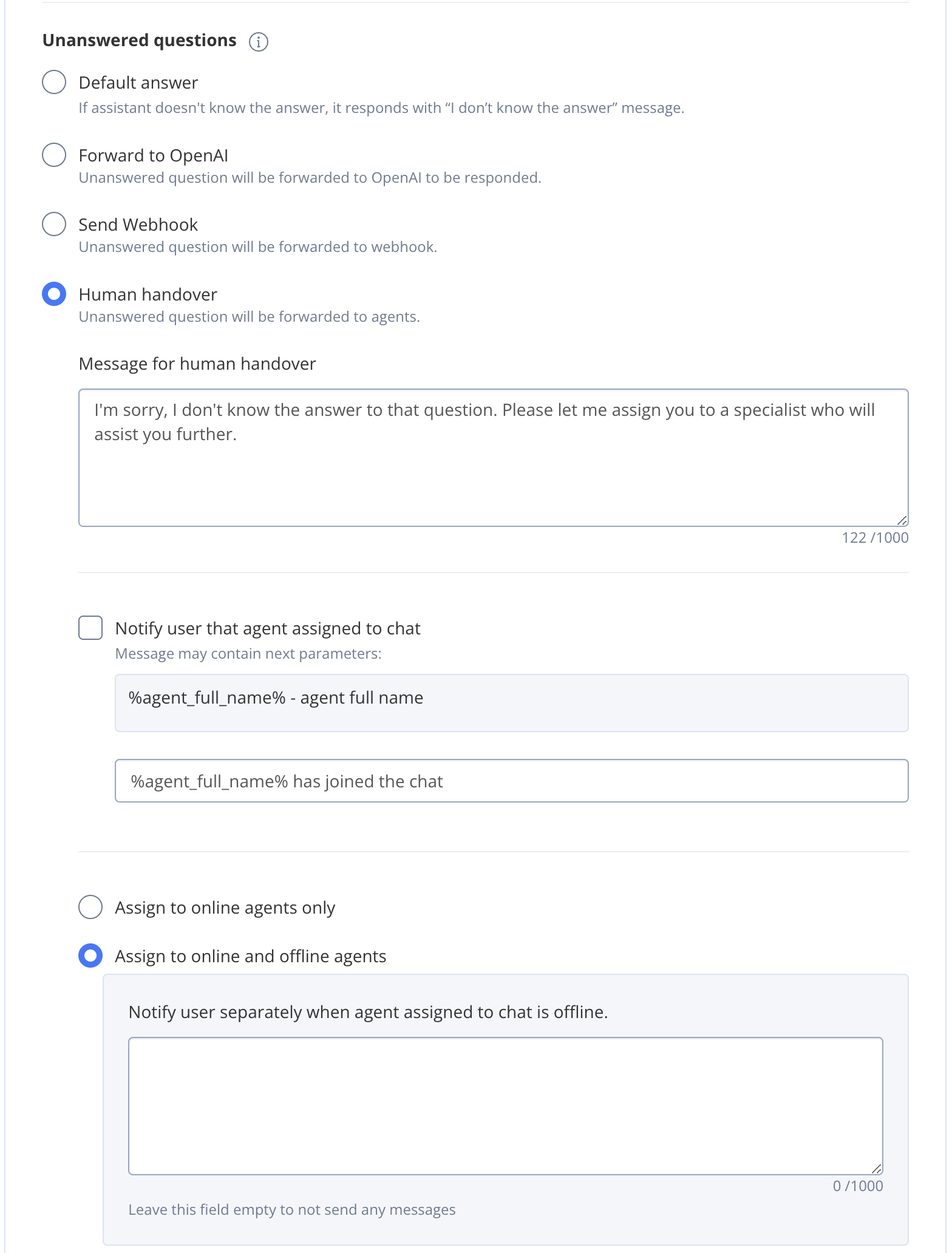
 5. If needed, edit the **Message for human handover**.
6. You can also turn on **Notify user that agent is assigned to chat** and change the message if you want.
7. Choose whether dialogs should be assigned to online agents only, or both online and offline agents. You can also set a message for when an offline agent is assigned (this message is empty by default).
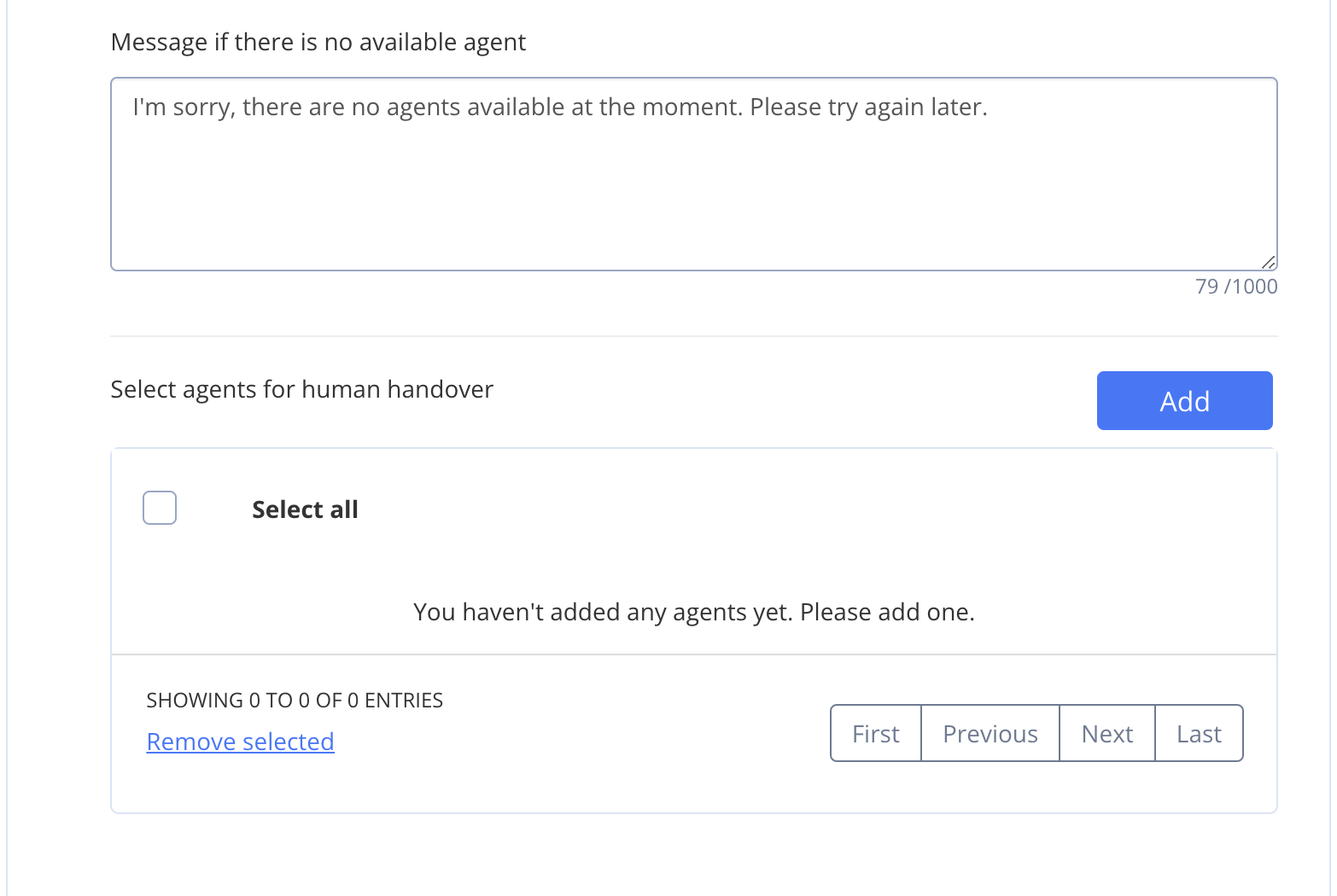
8. Customize **Message if there is no available agent** if needed.
9. To pick which agents can be assigned, click **Add**.
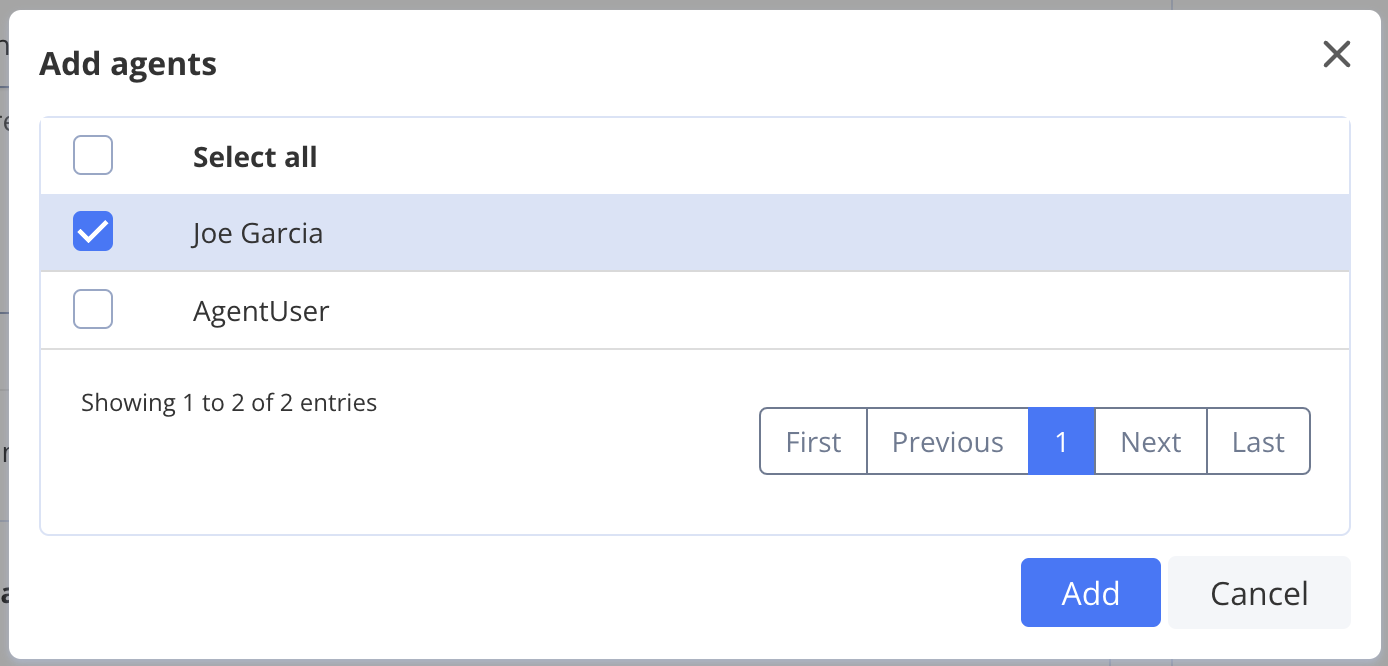
10. Select the agents you want to assign. If no agents appear, you need to create them first.
11. Click **Add** to confirm.
5. If needed, edit the **Message for human handover**.
6. You can also turn on **Notify user that agent is assigned to chat** and change the message if you want.
7. Choose whether dialogs should be assigned to online agents only, or both online and offline agents. You can also set a message for when an offline agent is assigned (this message is empty by default).
8. Customize **Message if there is no available agent** if needed.
9. To pick which agents can be assigned, click **Add**.
10. Select the agents you want to assign. If no agents appear, you need to create them first.
11. Click **Add** to confirm.
 12. Save the AI Agent changes.
Please note that only group dialogs can be handed over to agents. In a private dialog the user will receive the "don't know" message.
12. Save the AI Agent changes.
Please note that only group dialogs can be handed over to agents. In a private dialog the user will receive the "don't know" message.