> ## Documentation Index
> Fetch the complete documentation index at: https://docs.quickblox.com/llms.txt
> Use this file to discover all available pages before exploring further.
# Workflows overview
> Learn what workflows are and how they power advanced AI Agents
A workflow is a visual conversation flow that defines exactly how your AI Agent interacts with users — step by step. Instead of relying on open-ended AI responses alone, you design a graph of nodes (steps) connected by paths, giving you full control over what the agent says, what information it collects, which external systems it calls, and when the conversation ends.
Workflows are the foundation of the **Workflow Agent** type — the advanced agent that follows a designed flow. If you want a simpler **Knowledge Agent** that answers freely from its knowledge base and instructions, see [Agent Types](/ai-agent/agent-types) for a comparison of the two agent types.
## What a workflow looks like
A workflow is a directed graph:
* **Nodes** are the individual steps — sending a message, asking a question, branching on a condition, calling a webhook, and more.
* **Edges** are the paths that connect nodes, forming the conversation flow from start to finish.
* Every workflow has exactly one **Start** node (where every conversation begins) and one or more **End** nodes (where a conversation path concludes).
## Where workflows live
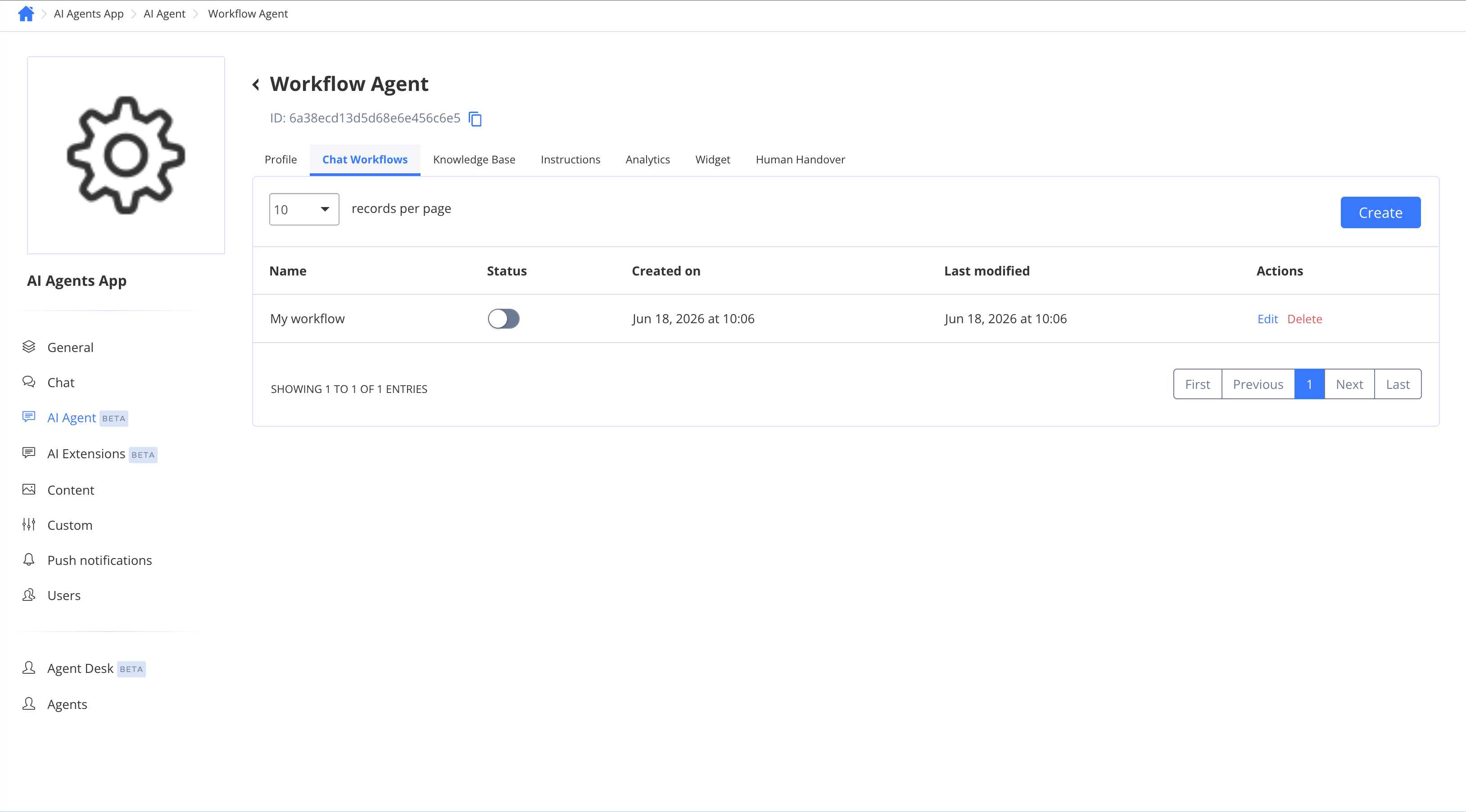
Workflows are attached to a **Workflow Agent**. You can find them on the **Chat Workflows** tab when you open a Workflow Agent in the dashboard.
One agent can have many workflows, but only **one workflow can be active** for live conversations at a time. Activating a workflow automatically deactivates the previously active one; every other workflow stays inactive (whether draft or published) until you activate it.
If a Workflow Agent has **no active workflow** — for example, immediately after creation or after deactivating all workflows — it falls back to standard AI answering using its instructions and knowledge base, behaving like a Knowledge Agent.
 ## Next steps
* [Agent Types](/ai-agent/agent-types) — understand agent types and how to enable the advanced feature
* [Building a workflow](/ai-agent/workflows/editor) — create, configure, publish, and activate a workflow
* [Workflow nodes](/ai-agent/workflows/nodes) — reference of every node type and what it does
* [Variables, branching & testing](/ai-agent/workflows/variables-and-testing) — save answers, build conditions, and test your flow
## Next steps
* [Agent Types](/ai-agent/agent-types) — understand agent types and how to enable the advanced feature
* [Building a workflow](/ai-agent/workflows/editor) — create, configure, publish, and activate a workflow
* [Workflow nodes](/ai-agent/workflows/nodes) — reference of every node type and what it does
* [Variables, branching & testing](/ai-agent/workflows/variables-and-testing) — save answers, build conditions, and test your flow