

Knowledge Agent vs Workflow Agent
Choose an agent type
When you create a new AI Agent, you are asked to choose the agent type.- Go to Dashboard => YOUR_APP => AI Agent.
- Click Create.
- Under Agent type, select Knowledge Agent or Workflow Agent.
- Fill in the remaining details and click Create.
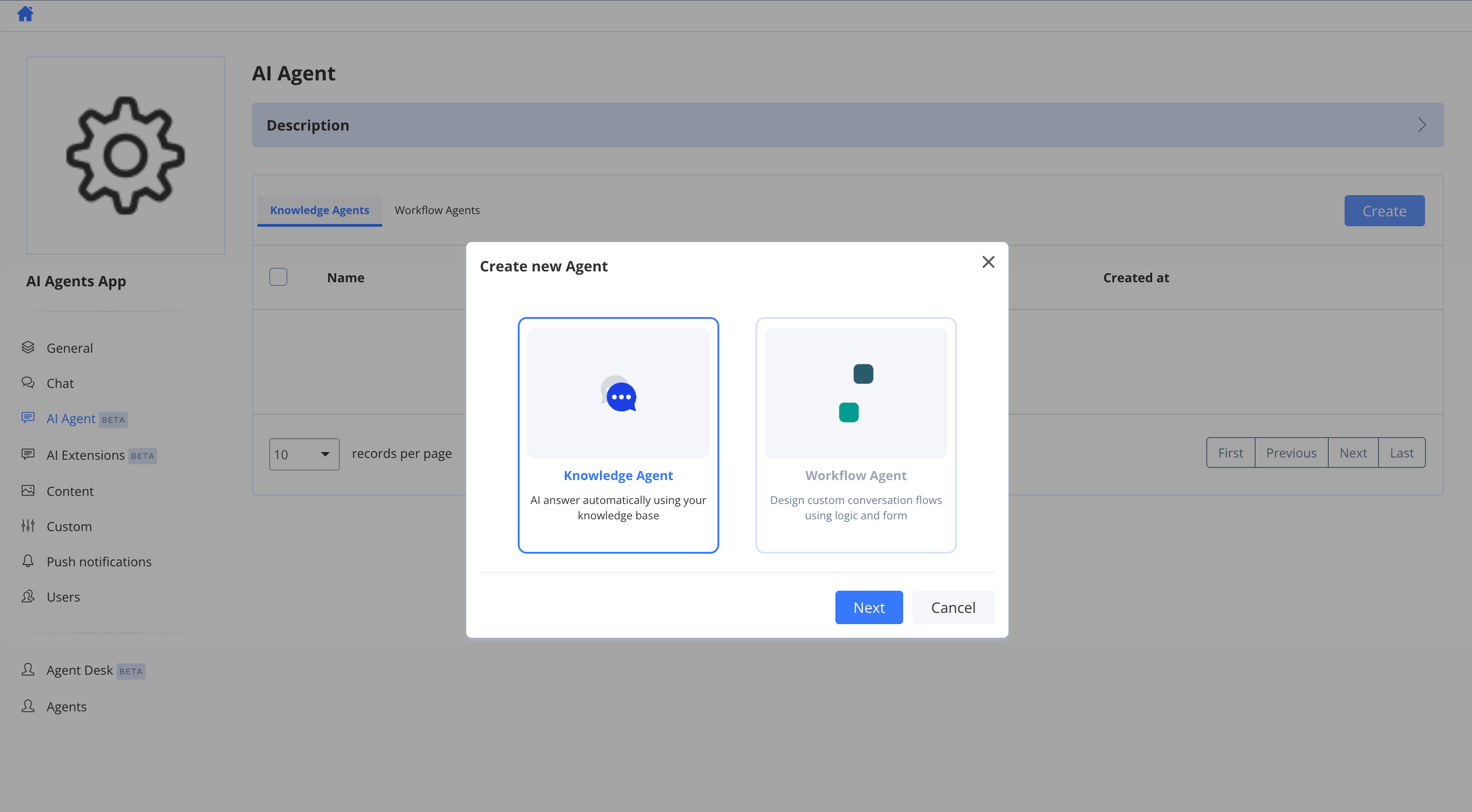
The agent type cannot be changed after the agent is created. If you need a different type, create a new agent.
Knowledge Agent
A Knowledge Agent answers freely, drawing on its Instructions and its Knowledge Base. The user drives the conversation, and the agent responds to each message in turn — there is no predefined path. This is the default, simpler agent type and does not require the advanced feature. It is a good fit for:- General Q&A and FAQ-style assistants
- Support bots that answer from uploaded documentation
- Conversations where flexibility matters more than a fixed sequence of steps
- Instructions — the prompts that guide tone, behaviour, and how the agent answers.
- Knowledge Base — the files, websites, and pages the agent draws on for retrieval-augmented (RAG) answers. See Knowledge base.
Workflow Agent
A Workflow Agent follows a designed workflow — a visual graph of steps that controls exactly what the agent says, what it collects, which systems it calls, and when the conversation ends. This type requires the advanced feature. Workflows are created and managed on the Chat Workflows tab. One agent can have many workflows, but only one workflow can be active for live conversations at a time.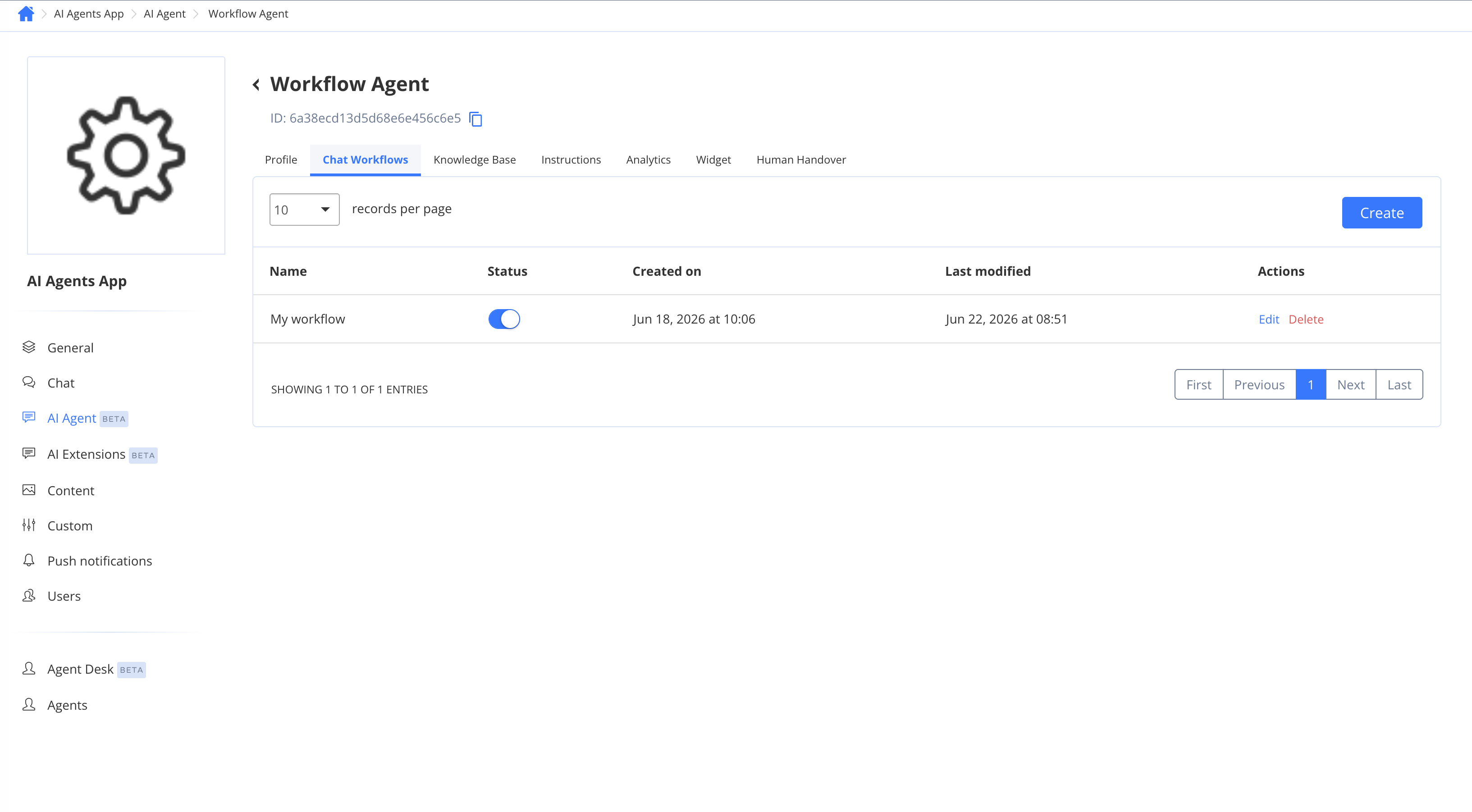
- Workflows overview — what a workflow is and when to use one
- Building a workflow — create, publish, and activate a workflow
- After a workflow ends, each End node decides what happens next — continue with AI answering, answer from the knowledge base, or close the conversation. See Workflow nodes.
- When no workflow is active — for example, right after creating the agent or after deactivating every workflow — the agent falls back to standard AI answering using its instructions and knowledge base, behaving like a Knowledge Agent. See Workflows overview.
Settings shared by both agent types
Both agent types share the same core configuration. A Workflow Agent simply adds the Chat Workflows tab on top. These settings apply regardless of the type you choose:- Profile — agent name, avatar, command, and where the agent responds.
- Knowledge Base — content used for RAG answers (and by the AI response node and “Answer with Knowledge base” end action in workflows).
- Instructions — the prompts for AI answering. The OpenAI prompt drives free-form answers (including the “Answer with AI” end action and fallback answering); the Knowledge base prompt drives knowledge-base (RAG) answers. (The OpenAI Chat workflow node uses its own per-node instructions instead.)
- Widget — appearance and behaviour of the embedded chat widget.
- Human Handover — configuration for the Live Chat node and the handover experience.
Next steps
For Knowledge Agents:- Knowledge base — add files, websites, and pages the agent answers from
- Intake forms — collect information before the conversation starts
- How to use — interact with your AI Agent in private and group chats
- Workflows overview — understand what a workflow is and when to use one
- Building a workflow — create, publish, and activate a workflow
- Workflow nodes — reference of every available node type
- Variables, branching & testing — personalise flows and test before going live