

What a workflow looks like
A workflow is a directed graph:- Nodes are the individual steps — sending a message, asking a question, branching on a condition, calling a webhook, and more.
- Edges are the paths that connect nodes, forming the conversation flow from start to finish.
- Every workflow has exactly one Start node (where every conversation begins) and one or more End nodes (where a conversation path concludes).
Where workflows live
Workflows are attached to a Workflow Agent. You can find them on the Chat Workflows tab when you open a Workflow Agent in the dashboard. One agent can have many workflows, but only one workflow can be active for live conversations at a time. Activating a workflow automatically deactivates the previously active one; every other workflow stays inactive (whether draft or published) until you activate it. If a Workflow Agent has no active workflow — for example, immediately after creation or after deactivating all workflows — it falls back to standard AI answering using its instructions and knowledge base, behaving like a Knowledge Agent.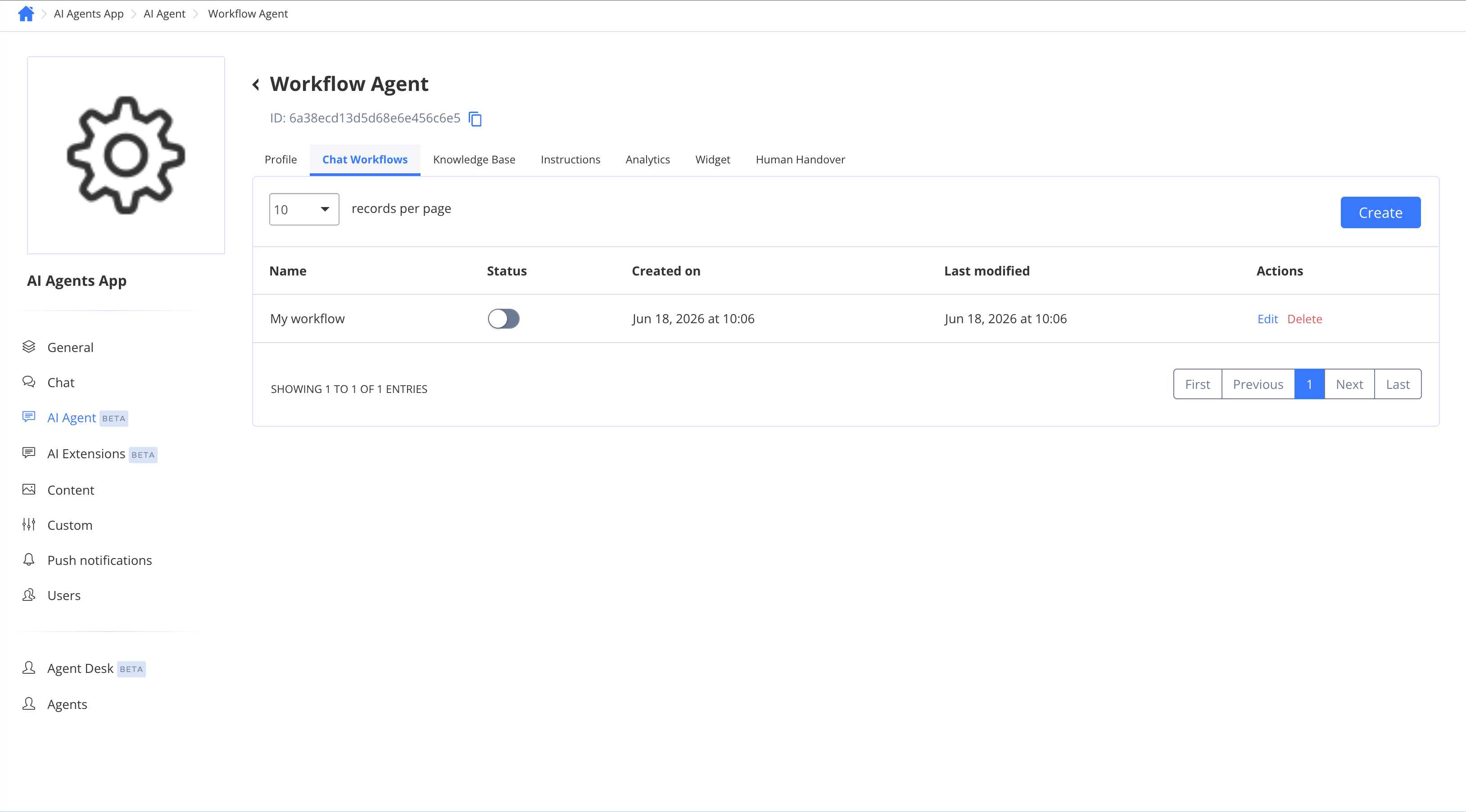
Next steps
- Agent Types — understand agent types and how to enable the advanced feature
- Building a workflow — create, configure, publish, and activate a workflow
- Workflow nodes — reference of every node type and what it does
- Variables, branching & testing — save answers, build conditions, and test your flow